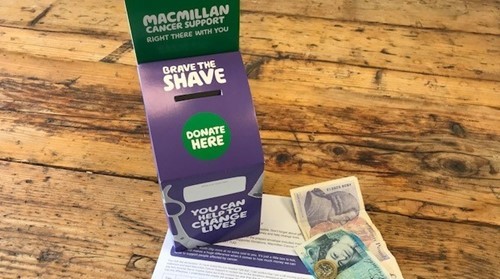

How to pay in your fundraising money
How can I pay in my sponsorship?
There are several ways to pay-in offline donations. Take a look at your options below, and get in touch by email at fundraising@macmillan.org.uk or phone 0300 1000 200 (Monday to Friday, 9:30am to 4:30pm) if you need any further support.
Online
Donations on your online fundraising come through to Macmillan automatically, but you can also pay-in cash or cheque donations by logging in to your profile page and clicking the 'Pay In' button.
Gift Aid
To claim Gift Aid on offline donations, please post your sponsorship form(s) to the address below after paying-in your funds. If the donors are UK taxpayers, we can claim an extra 25p from HMRC for every pound that they donate. You can download a printable sponsorship form.
If you pay-in offline donations that you've collected on your sponsorship form, please do not add Gift Aid to your payment. Macmillan will claim the Gift Aid using the sponsorship form you send us.
Make sure to include your full name, event, and home address on the sponsor form, and post your completed forms to:
Brave the Shave, Macmillan Cancer Support
PO Box 791
York House
York
YO1 0NJ
By bank
You can pay in the money you've raised at a NatWest, RBS, or Ulster Bank near you. Please email us at fundraising@macmillan.org.uk or call us on 0300 1000 200 (Monday to Friday, 9:30am to 4:30pm) for a paying-in slip.
For electronic bank transfers, we can give you the account details and a unique reference code to quote at the time of transfer.
By post
We don’t recommend sending cash by post. If you'd like to post a cheque, please make it payable to Macmillan Cancer Support, include a collection donation form, and post it to us at:
Freepost RUCY-XGCA-XTHU
Macmillan Cancer Support, Brave the Shave
PO Box 791
York House
YORK
YO1 0NJ
By phone
Call us on 0300 1000 200 and pay in your sponsorship money over the phone using your credit or debit card.
Our phone lines are open Monday to Friday, 9:30am to 4:30pm.
Matched Giving
If your employer has agreed to match all/part of your donation, please email us at fundraising@macmillan.org.uk with the following information:
- Event (Brave the Shave)
- Employer company name
- Donation amount
- Estimated date of payment
This will help us to track the donation so that we can attribute the funds to your total as soon as possible.
Will you add my cash donation to my fundraising profile?
Yes, once your payment has been received we will update the amount to your online profile. This can take up to 10 working days to process.
How long after my shave will people be able to sponsor me?
Your page will remain open so people can still donate, even after your shave.
Can I download a sponsorship form?
Yes, you can download a printable sponsorship form to print out at home.
If you have another question about Brave the Shave, take a look at our FAQS.